Burger menu#
Menu options#
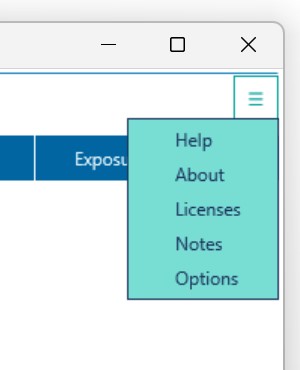
The burger menu give access to extra features of dBwav. Clicking on it will reveal a pull-down menu.
- Help links to the documentation website
- About displays information about useful websites and contact details
- Licenses opens the licensing window
- Notes provides information about technical details
- Options allows the user to set user-defined parameters
Licensing#
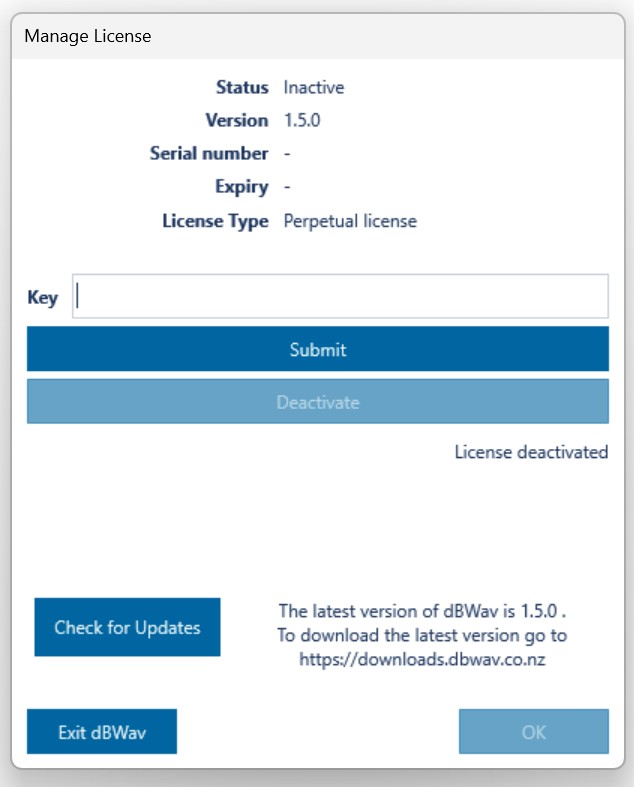
The licensing window allows you to manage your licence and check for updates.
Activation#
Enter your licence key into the Key field and push Submit.
De-activation#
De-activation allows you to move your licence to another computer. Simply push the Deactivate button.
Updates#
The bottom right text will tell you the latest version of dBWav. Pushing 'Check for updates' will refresh this text.
Options#
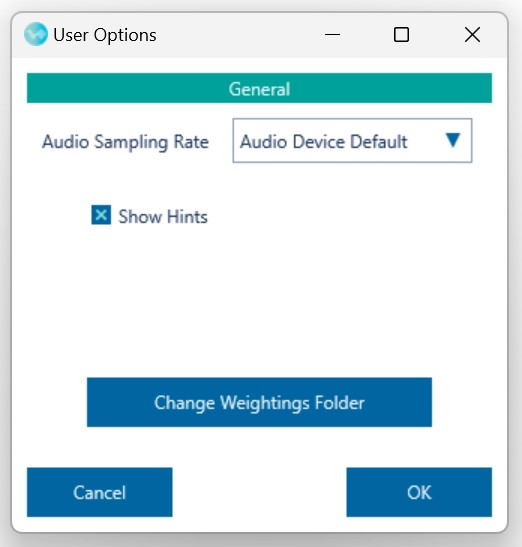
The Options windows allows you to change a number of user-defined options.
- Audio Sampling Rate allows the user to select the sampling rate used by the audio playback device. You can choose 'Audio Device Default' which is whatever the current audio playback device allows, 'Scale playback to 48kHz' changes the playback sampling rate to 48kHz, or 'Downsample to 48kHz' allows playback on any device by removing high-frequency, in-audible components from the signal.
- Show Hints selects whether hints are to be shown or not.
- Change Weighting Folder - changes the location of the folder which stores the user-defined weightings.